Installation is super easy. Here’s what to do:
Installation:
Amazon Firestick and Fire TV Devices:
DOWNLOADER (If you already have the Downloader app, skip to Step 13):
1. From the Main Menu scroll to hover over Settings
2. Click “Device” or “My Fire TV”
3. Choose “Developer Options”
4. Click “Apps from Unknown Sources”
5. Choose “Turn On”
6. Return to the home screen and hover over the Search icon or the find button then search
7. Type in Downloader and click “Downloader”
8. Select the Downloader app
9. Click Download
10. Click Open
11. Click Allow
12. Click OK
13. Click the Home button on your Firestick remote.
14. Scroll to the right until you reach the “Your Apps & Channels” (this is to the left of the Settings icon)
15. Click the icon and scroll down to the Downloader App.
17. Click Allow.
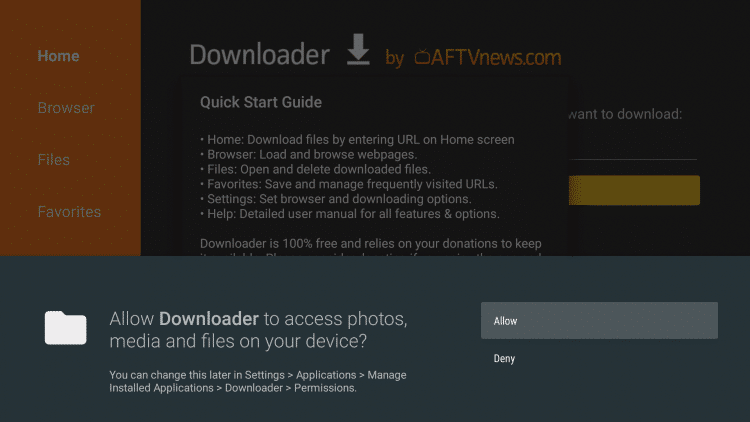
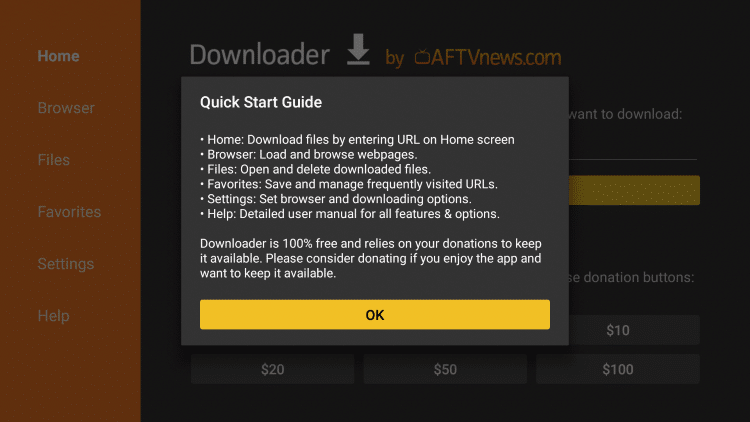
18. Click OK.
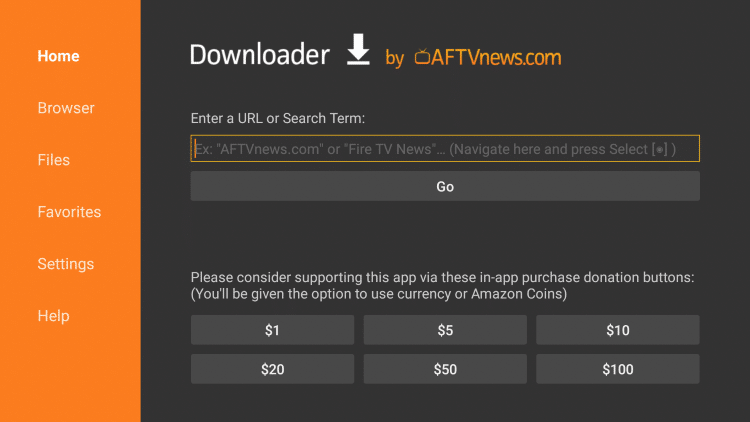
19. Place your cursor in the URL box and click the OK button on your remote to open the keyboard.
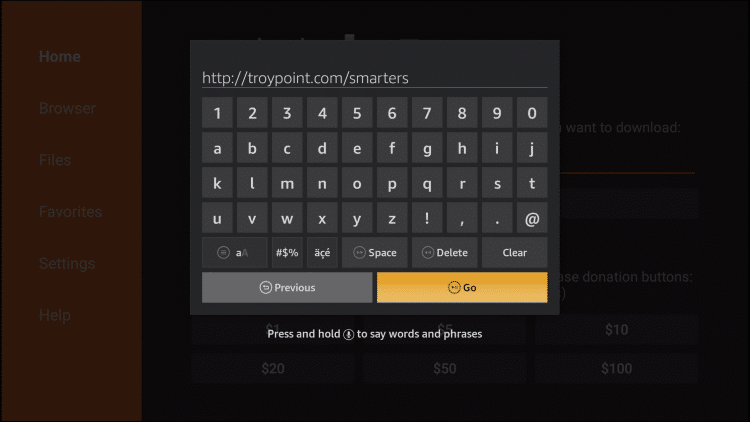
20. Type the following URL exactly as shown here: http://install-iptv.com/iptvsmarters and click Go.
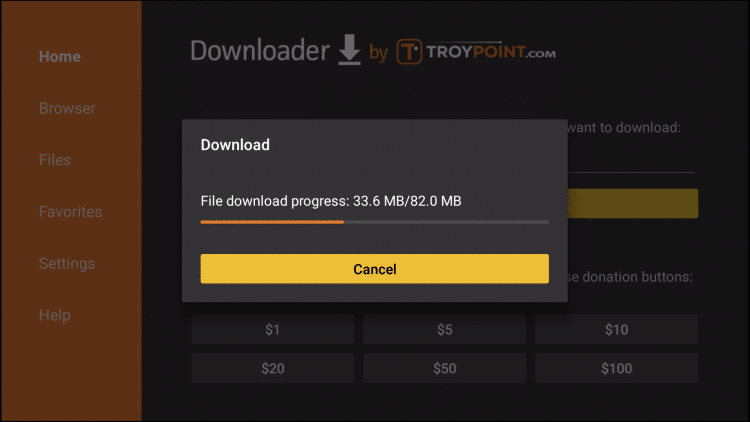
21. Wait for file to download.
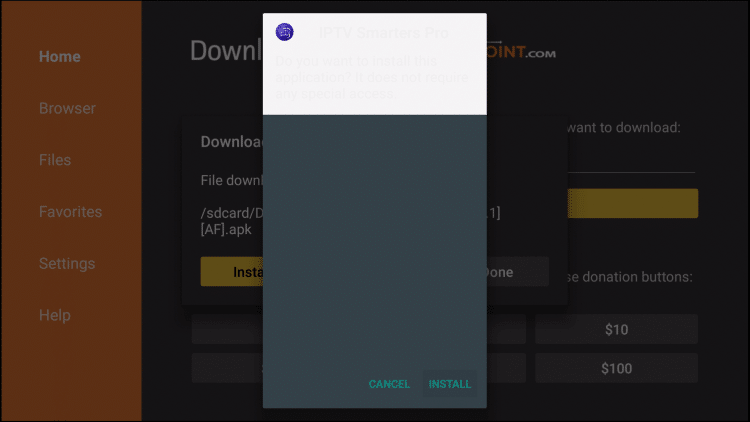
22. Click Install.
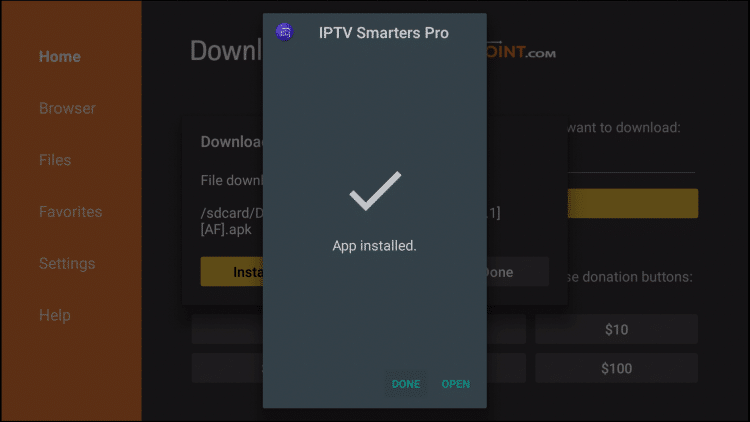
23. Click Done.
24. This will take you back to Downloader. Click Delete.
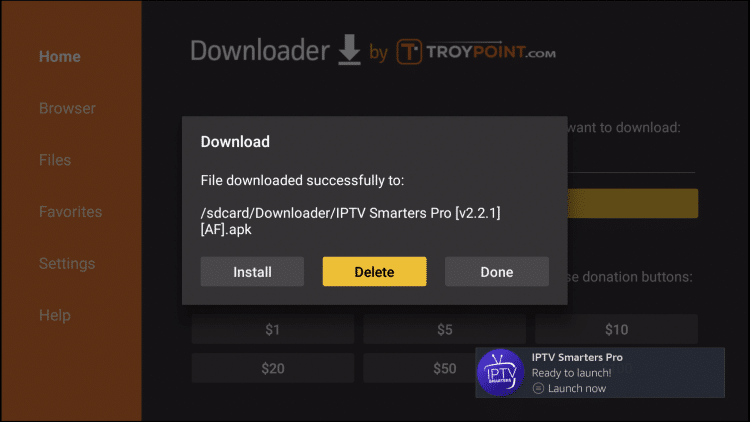
25. Click Delete again.
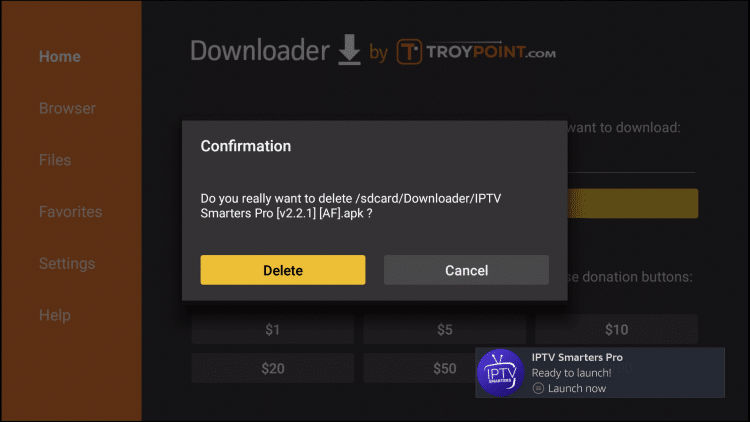
26. Return to device home-screen and under “Your Apps & Channels” click See All.
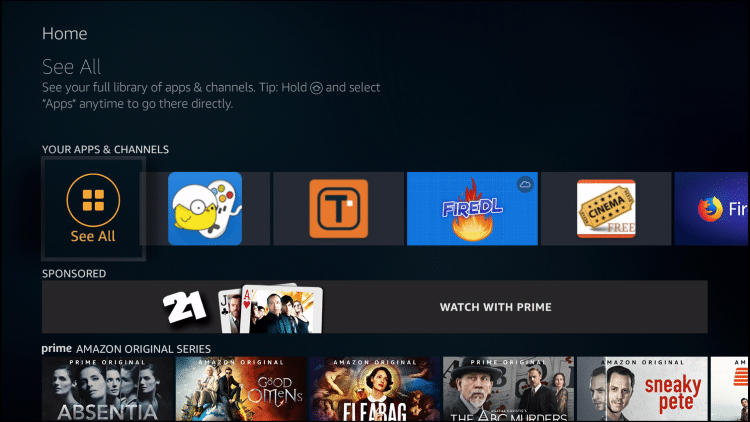
27. Scroll down to hover over IPTV Smarters.
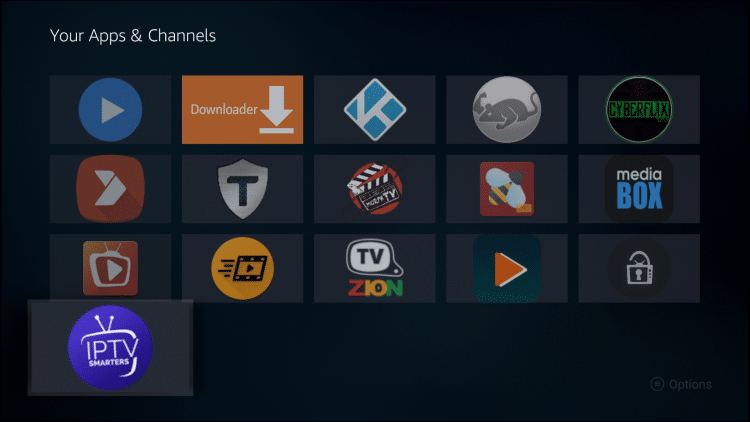
28. Click the Menu button on the remote (3 horizontal lines), then click Move to Front.
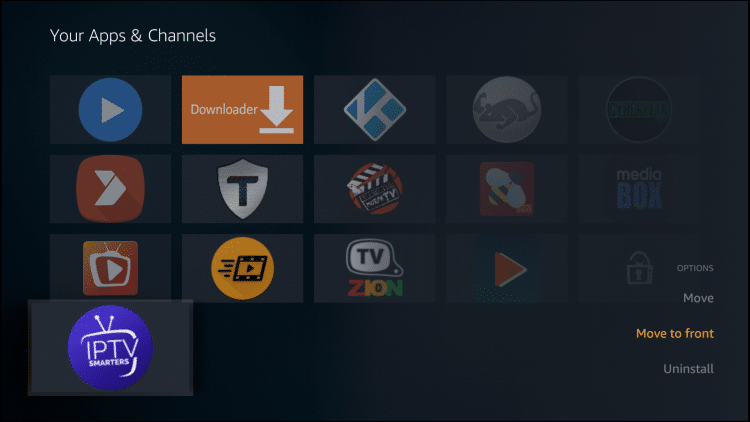
30. Launch the IPTV Smarters App
31. Select “Login with Xtream Codes API”
32. For the “Any Name” row, you can put anything you would like to name the subscription.
33. For “Username” and “Password”, use the username and password that was sent to you.
34. Under the Password row, input this URL: http://ky-iptv.com:25461
35. Click “Add User” then select the account you just created. Happy Streaming!
Apple TV/ iPhone/iPad/Android/ Devices:
1. In the App Store of your device, search for “Smarters Player Lite”
2. Download the Smarters Player Lite app, then open it.
3. For the “Any Name” row, you can put anything you would like to name your subscription.
4. For “Username” and “Password”, use the username and password that was sent to you via email.
5. Under the Password row, input this URL: http://ky-iptv.com:25461
6. Click “Add User” then select the account you just created. Happy Streaming!
 STRYKE TV